
 Dhaval G.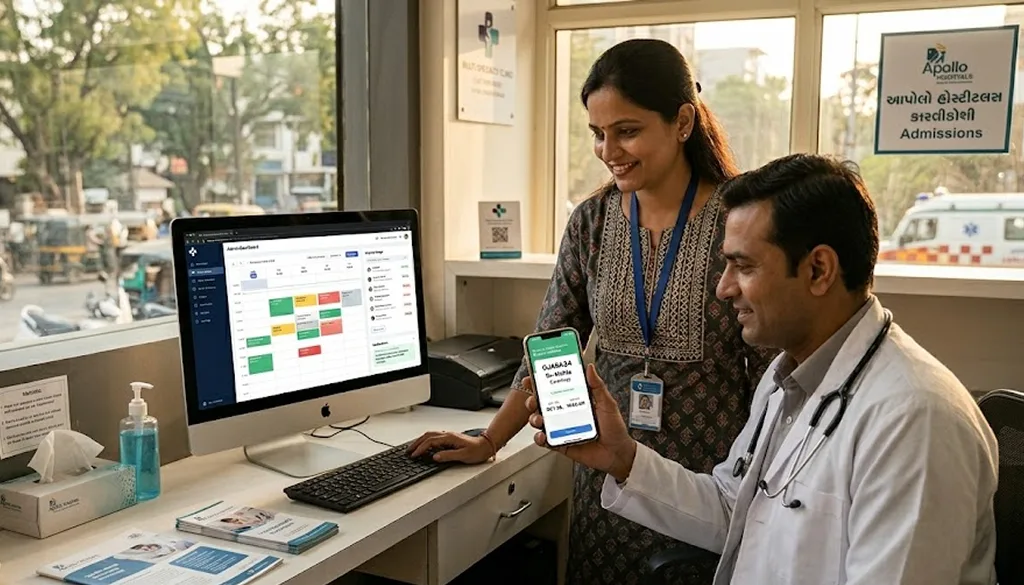
Last year, a multi-specialty clinic in Gujarat came to us with a problem we've heard in some version from almost every healthcare client we work with. Their front desk team was spending four to five hours every day managing appointment bookings across three channels simultaneously phone calls, WhatsApp messages, and a paper register that still got updated manually even though they'd had a computer system for years. Doctors were seeing gaps in their schedules because patients called and then didn't show up. Patients were waiting on hold during peak hours and giving up. The clinic had 11 doctors, roughly 80–100 appointments daily, and a booking process that was genuinely costing them money and patients every week.
They asked us to build something that could handle appointment booking automatically, reduce no-shows, and give patients a proper digital experience without being so complex that their non-technical admin staff couldn't manage it. This is the case study of that build: what we built, how we built it, the technical decisions we made and why, what broke during development, and what the clinic actually saw in terms of measurable outcomes three months after launch. If you're a healthcare business owner, a developer, or someone considering building a healthcare AI booking system, this guide gives you the honest version not just the polished pitch.
The Problem: What Was Actually Breaking and Why
Before we wrote a single line of code, we spent two full days at the clinic just watching how appointments worked. This is something we do with every client and it consistently reveals problems that no brief document captures.
The Three Specific Failures We Documented
Failure 1: Channel fragmentation. Patients booked through three disconnected channels. A patient who WhatsApped to book a 10am slot with Dr. Sharma had no way to know that slot had already been taken by a phone booking five minutes earlier. Double bookings were happening daily. The admin team was manually cross-referencing WhatsApp chats, a phone log, and a physical register which meant their entire booking system was only as reliable as the last person who'd checked all three.
Failure 2: No-show rate of 28%. Nearly one in three booked appointments resulted in a no-show. The clinic had no automated reminder system. Someone occasionally called patients the morning before when they remembered, when they had time. This 28% no-show rate translated directly to lost revenue: at an average consultation fee of ₹600, 25 missed appointments per day represented ₹15,000 in daily revenue loss.
Failure 3: Zero online booking capability. Patients who searched for the clinic online found a static website with a phone number. No online booking. According to a 2025 survey by the Indian Health Industry Alliance, 67% of urban Indian patients under 40 prefer to book medical appointments online rather than by phone. The clinic was losing this entire segment to competitors who had booking portals.
What We Built: The Technical Architecture
After the discovery phase, we proposed a system with four interconnected components. Here's exactly what each one does and why we chose it.
Component 1 Patient-Facing Booking Portal (Next.js + Supabase)
The front end is built in Next.js 14, deployed on Vercel. We chose Next.js because of its static generation capabilities the main booking pages load in under 800ms even on a mid-range mobile connection, which matters enormously in a country where 4G speeds vary significantly.
The booking flow works like this: a patient visits the portal, selects a department (Cardiology, Orthopaedics, General Medicine, etc.), sees the available doctors, selects a date, and sees real-time slot availability. They fill a simple form (name, phone, brief reason for visit) and receive an instant confirmation with a booking ID. The entire flow is optimised for mobile no app download required.
The database is Supabase (PostgreSQL under the hood), which gave us real-time capabilities without the complexity of managing our own WebSocket infrastructure. When a patient books a slot, every admin panel and the doctor's schedule view updates in real time across all devices eliminating the double-booking problem.
Component 2 AI Triage and Smart Scheduling (Node.js + Claude API)
This is the component that made the biggest difference and the one we were most uncertain about going in.
When a patient fills in the "reason for visit" field, that text is passed to the Claude API (Anthropic's model). We wrote a system prompt that instructs the AI to classify the urgency of the appointment, suggest the most appropriate department if the patient isn't sure, and flag anything that sounds like it requires same-day attention. The classification result influences which doctors are presented and whether the patient is shown "next available" slots versus "book in advance" options.
In practice: a patient typing "chest pain and shortness of breath" gets immediately flagged as high priority and presented with a Cardiology booking plus a message advising them to call directly if symptoms are severe. A patient typing "annual checkup" gets the standard general medicine booking flow. A patient typing "knee pain after sports" gets Orthopaedics suggested even if they started in General Medicine.
We were initially concerned about the AI making incorrect triage recommendations which in a healthcare context carries real risk. Our solution was to make the AI's role advisory, not decisive. The AI classifies and suggests. A human admin sees every booking. The AI never acts without that human checkpoint. This is the architecture we'd recommend to anyone building AI into healthcare workflows always keep a human in the loop for anything clinical.
Component 3: Automated WhatsApp and SMS Notifications (WhatsApp Business API)
No-shows were the clinic's biggest revenue problem. Our solution was a three-stage automated reminder sequence built on the WhatsApp Business API:
- Immediate confirmation: sent the moment a booking is made, including the doctor's name, date, time, and booking ID
- 24-hour reminder: sent the evening before the appointment, with a "Confirm / Reschedule / Cancel" response option
- 2-hour reminder: sent the morning of the appointment for any booking that hadn't been cancelled
The patient responds to the 24-hour reminder with a single word "Confirm," "Reschedule," or "Cancel." The system handles each response automatically: confirmations update the booking status, cancellations free the slot back into availability, reschedules open a new booking flow via WhatsApp.
Component 4: Admin Dashboard (React + Supabase Realtime)
The admin dashboard was designed with one non-negotiable constraint: the clinic's front desk staff many of whom had basic computer literacy needed to use it without training. We built it with a visual daily schedule view (similar to Google Calendar), colour-coded by status (confirmed, pending, cancelled, no-show), and a single-page booking management interface where any field could be edited without navigating between screens.
We also built a basic reporting module: daily appointment counts per doctor, no-show rate by week, cancellation patterns, and peak booking times. This data was something the clinic had never had access to before, and it's now used to optimise doctor schedules and staffing.
What Went Wrong During Development (The Honest Version)
Most agency case studies skip this section. We think it's the most valuable part.
Problem 1: WhatsApp Business API Approval Took 6 Weeks
We planned for a 10-week build timeline. WhatsApp's Business API approval process which requires submitting the clinic's business registration, completing a Meta Business verification, and getting the specific message templates approved took six weeks on its own. This nearly doubled our timeline on the notification system alone.
The lesson: For any project involving WhatsApp API, budget 6–8 weeks for API approval and start the application process before development begins. We now initiate this on day one of every healthcare or service-business project.
Problem 2: The AI Triage Required Extensive Prompt Engineering
Our initial Claude API prompts were too literal. When a patient typed "my child has fever," the AI classified it as paediatrics. When they typed "for my father," it sometimes confused the subject. We spent three weeks on prompt refinement and edge case testing a significantly larger investment than we'd initially estimated.
The lesson: AI components in production systems need a dedicated testing phase with real-world inputs not just clean example cases. Budget at least 25% of your AI integration time for prompt engineering and adversarial testing.
Problem 3: Data Migration from the Paper Register
The clinic had 18 months of appointment history in a physical register that the staff had been partially digitising into a Google Sheet. The data was inconsistent names spelled differently, phone numbers with and without country codes, doctor names abbreviated differently by different staff members.
Cleaning and migrating this data took four days of manual work that we hadn't scoped. It was ultimately necessary because the AI system's performance improved significantly when it had historical booking patterns to reference.
The lesson: Legacy data migration is almost always harder than it looks. Always do a data quality audit before scoping a project that involves migrating historical records.
The Results: Three Months After Launch
We measure every project against the specific problems that initiated it. Here's what changed.
No-Show Rate: 28% → 9%
The automated WhatsApp reminder sequence was the single highest-impact change. The 24-hour confirmation request which gives patients an easy way to reschedule rather than simply not showing up drove the majority of this improvement. The clinic went from losing roughly 25 appointments per day to losing 7–8. At ₹600 per consultation, that's a recovery of approximately ₹10,000 in daily revenue.
Front Desk Administrative Time: 4–5 Hours/Day → 40 Minutes/Day
The booking portal handles all online bookings automatically. WhatsApp responses to reminder messages are processed by the system. The admin team's daily booking workload reduced from 4–5 hours to approximately 40 minutes spent reviewing the dashboard, handling edge cases, and managing same-day urgent bookings. The two front desk staff who previously spent most of their day on phones are now focused on in-clinic patient experience.
Online Bookings: 0% → 25% of Total Appointments
Within three months, 25% of all appointments were being booked through the online portal rather than by phone. This exceeded our projections we had forecast 10–20%. The clinic's Instagram page, which they'd previously used only to post health tips, now drives a meaningful portion of bookings through a booking link in their bio.
Patient Wait Time at Reception: Reduced by 35%
Because the system captures patient details at booking time and the AI triage had pre-classified the visit reason reception staff had relevant information available before the patient arrived. Patients weren't filling out forms at the desk. Doctors were seeing a brief AI-generated note about the patient's stated reason for the visit before they entered the consulting room. This reduced the time spent on initial intake.
What This Costs: Honest Numbers for Healthcare Businesses
Every potential client asks this, and vague answers don't help anyone plan.
Development Cost Breakdown
- Discovery and scoping (2 days): ₹0 included in project scope for this client
- Frontend (Next.js booking portal + admin dashboard): 6 weeks of development
- Backend (Node.js APIs + Supabase setup + AI integration): 4 weeks of development
- WhatsApp Business API integration and testing: 3 weeks (plus 2 weeks waiting for API approval)
- Data migration and testing: 1 week
- Total development cost for this project: ₹3,80,000 (approximately $4,600 USD)
Ongoing Monthly Costs
- Vercel hosting: ₹1,200/month (Vercel Pro, handles current traffic comfortably)
- Supabase: ₹1,800/month (Pro plan, scales with usage)
- Claude API (triage calls): ₹800–₹1,400/month depending on booking volume
- WhatsApp Business API: ₹2,500–₹4,000/month depending on message volume
- Total ongoing infrastructure: approximately ₹6,300–₹8,400/month
The ROI for the Clinic
The no-show improvement alone recovered approximately ₹10,000 in daily revenue (₹3,00,000/month). The infrastructure costs ₹8,400/month at peak. The system paid for its entire development cost within the first 40 days of operation, and continues generating net positive return every month.
What we told the clinic before we started: "We can't guarantee these exact numbers every clinic is different, and patient behaviour varies. What we can guarantee is that the system will work as specified, be maintainable by your team, and that we'll be available for support." What we tell every client: real projects have real uncertainties. We'd rather set honest expectations than oversell outcomes we can't control.
What We'd Do Differently If We Built It Again
Every project teaches us something. Here's what this one taught us.
- Start the WhatsApp API application the moment the project is signed. Six weeks of waiting is six weeks of delayed launch. Non-negotiable lesson.
- Build the AI triage component last, not first. We spent significant time on the AI component early in the project when we hadn't yet finalised the booking flow it was plugging into. Build the core workflow, then layer in AI.
- Include a data audit as a formal deliverable in the scoping phase. Legacy data quality issues are discovery phase work. We now charge separately for data audits on any project that involves historical records.
- Test the admin dashboard with actual admin staff before going live. Our initial dashboard design had filter options that made sense to developers but confused the front desk team. One additional round of user testing with non-technical staff before launch would have saved two weeks of post-launch revisions.
- Build cancellation and reschedule flows on day one. We initially treated these as edge cases. They're not 12–15% of bookings involve some form of modification.
Who Should Build This Kind of System?
This specific architecture Next.js frontend, Supabase database, Node.js API layer, Claude API for AI intelligence, WhatsApp Business API for notifications works well for healthcare businesses in the 50–200 appointments per day range. Below 50 appointments daily, a simpler and cheaper solution (like a well-configured Calendly with a custom front end) may serve the business better. Above 200 appointments daily, you'd want to evaluate enterprise-grade healthcare platforms or a custom-built EMR integration.
The core principles real-time availability, AI-assisted triage, automated reminders, mobile-first design apply at virtually any scale. The specific tools we used were chosen for this client's budget, team, and technical context.
If you're running a clinic, a diagnostic centre, a dental practice, a physiotherapy centre, or any healthcare business with appointment-based operations and you're still managing bookings through phone and paper we'd be happy to walk through what a system like this would look like for your specific context. No commitment required. Just an honest conversation about what's possible and what it would cost.
Key Takeaways
The most important things to take from this case study:
- A well-built AI booking system for a healthcare clinic with 80–100 daily appointments costs approximately ₹3,50,000–₹4,50,000 to build and ₹6,000–₹8,500/month to operate
- No-show reduction from automated reminders is the single highest-ROI component it paid for the entire system within 40 days
- WhatsApp Business API approval takes 6–8 weeks start the application before development begins
- AI triage works best as an advisory layer with human review never fully autonomous in a clinical context
- The admin dashboard must be designed for non-technical users from day one, not adapted after launch
- Real-time slot availability (preventing double bookings) is the foundation everything else builds on top of it
Final Thoughts
Healthcare businesses often come to us thinking they need a simple booking form on their website. What they actually need is a system that reduces the operational load on their staff, minimizes the revenue loss from no-shows, and gives patients a digital experience that matches their expectations in 2026. Those goals aren't complex but achieving them properly requires choosing the right architecture, understanding the specific constraints of healthcare (API approval timelines, patient data handling, non-technical staff requirements), and being honest when timelines or costs are more complex than expected.
If you're running a healthcare business and this case study describes a problem you recognise, we'd love to talk. No sales pitch just a conversation about whether what we built here could work for your clinic, and what it would realistically take. Reach out to the Alpha Bytes team or book a 15-minute call directly from our website.