
 Dhaval G.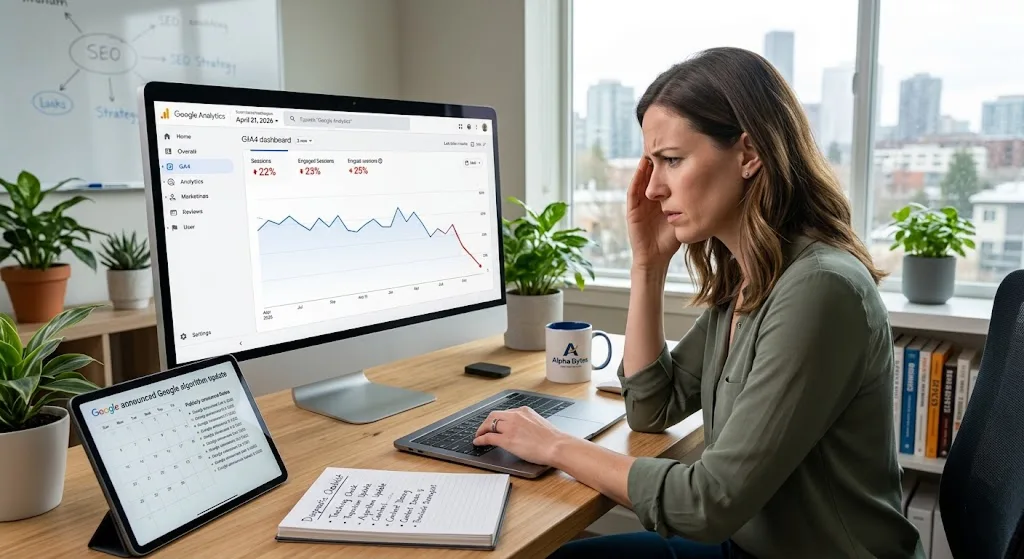
There's a particular kind of dread that hits when you open Google Analytics and the line that used to climb is pointing sharply downward. Traffic that took months to build, gone or at least significantly reduced with no obvious explanation. No error messages. No notifications. Just a graph that looks wrong. If you're reading this, that's probably where you are right now.
The good news: in the vast majority of cases, a website traffic drop has a diagnosable cause and a fixable solution. We've worked through traffic recovery for clients across industries from e-commerce stores to service businesses to content sites and the causes almost always come from the same predictable list. This guide covers every major reason your website traffic might be dropping in 2026, how to identify which one is affecting you, and exactly what to do about it.
Before You Do Anything: Rule Out a Tracking Problem
The very first thing to verify before assuming your traffic actually dropped is whether your data dropped not your traffic. Analytics tracking errors are more common than most people realize, and diagnosing a real traffic loss while your tracking is broken leads to wasted effort in entirely the wrong direction.
Check for Broken Analytics Code
Open Google Search Console and compare the impression trend against your Google Analytics traffic trend for the same period. If Search Console shows steady or growing impressions while Analytics shows a drop, your tracking code has likely broken not your traffic. This can happen after a website update, a CMS plugin conflict, or a theme change that removed the analytics snippet from certain pages.
Fix: Go to your website, open browser DevTools (F12), go to the Network tab, reload the page, and filter by "collect" or "analytics" you should see a successful request to Google's analytics server. If you don't, your tracking code is missing or firing incorrectly.
Check for Sampling or Filter Issues in GA4
GA4 sometimes applies data sampling to large datasets or filters that exclude certain traffic. If someone on your team recently created a new filtered view or changed comparison periods, the drop may be a reporting artifact. Check that your date comparison is set to equivalent periods comparing a 7-day window to a 30-day window will always look like a drop.
Cause 1: A Google Algorithm Update Hit Your Site
This is the most common cause of sudden, significant traffic drops for established websites. Google runs thousands of algorithm adjustments every year, but several major "core updates" each year can shift rankings dramatically for specific types of content.
How to Identify It
Go to Google Search Console → Performance → set your date range to 3 months → look for a specific date where impressions and clicks dropped sharply. Then cross-reference that date against Google's publicly announced algorithm update history. If a major update rolled out within a few days of your drop, that's almost certainly your cause.
How to Fix It
Google's guidance on recovering from core updates is consistent and worth taking seriously: the answer is almost never a technical fix. Core updates reward content that demonstrates real expertise, genuine helpfulness, and trustworthiness what Google calls E-E-A-T (Experience, Expertise, Authoritativeness, Trustworthiness). The fix is improving the quality and depth of your content, not chasing technical workarounds.
Specifically: identify which pages lost the most traffic, review whether those pages fully answer the searcher's question better than any competing page, add original insights or data that competitors don't have, and update publication dates only when content is genuinely refreshed. Recovery from a core update typically takes one to three months of sustained content improvement before the next update cycle recognizes the changes.
Cause 2: Your Content Is Decaying
Content decay is a slow, invisible traffic killer. It happens when pages that once ranked well gradually slip in position as competing content gets published, as the topic evolves, or as your page becomes stale relative to what searchers now expect to find.
How to Identify It
In Google Search Console, go to Performance → Pages → sort by Impressions descending → look for pages where impressions were high 6–12 months ago but have steadily declined over time. This gradual slide pattern not a sudden cliff is the signature of content decay rather than an algorithm penalty.
How to Fix It
Content refreshing is one of the highest-ROI SEO activities available and is almost entirely overlooked by businesses focused on publishing new content. Update statistics to 2026 figures. Add new sections covering aspects that have emerged since the original publication. Improve the introduction to match current search intent. Add a FAQ section if one doesn't exist. Update the publication date only after substantive changes not cosmetic ones.
At Alpha Bytes, we recommend a quarterly content audit for any site with 10+ blog posts. Sort all posts by traffic over the last 12 months and identify the five biggest decliners. Refreshing those five posts typically recovers more traffic than publishing five new articles.
Cause 3: Technical SEO Errors Crept In
Technical issues are responsible for a surprising proportion of traffic drops particularly after website updates, migration, or CMS changes. The scary part is that technical errors are often completely invisible to the site owner browsing the front end.
Accidental Noindex Tags
This is more common than it should be. A noindex meta tag tells Google not to index a page which is useful for internal pages you don't want in search results, and catastrophic when accidentally applied to your important content pages. This can happen during development when a "noindex all pages" setting gets left on after launch, or when a plugin applies noindex tags incorrectly.
Fix: Google Search Console → URL Inspection → paste each of your important URLs → look for "Page is not indexed" with a reason of "Excluded by noindex tag." For a site-wide audit, use Screaming Frog (free for under 500 URLs) and filter by noindex status.
Broken Sitemaps or Crawl Errors
If Google can't crawl your pages, it can't rank them. Go to Search Console → Indexing → Pages → look at the "Not indexed" list. Any significant number of "Crawled currently not indexed" or "Discovered currently not indexed" pages signals a crawl budget or accessibility problem. Check your sitemap at yoursite.com/sitemap.xml to confirm it's valid and includes all the URLs you want indexed.
Core Web Vitals Failures
Google's March 2026 core update placed stronger emphasis on Core Web Vitals as ranking signals. If your site's LCP, INP, or CLS scores dropped below the "Good" threshold which can happen after adding new plugins, scripts, or third-party tools you may see ranking declines for affected pages. Check Search Console → Experience → Core Web Vitals for a page-by-page breakdown.
Cause 4: You Have Keyword Cannibalization
Keyword cannibalization happens when multiple pages on your website target the same keyword, causing them to compete against each other rather than work together. Google gets confused about which page to rank, and often chooses to rank none of them prominently.
How to Identify It
In Google Search Console, go to Performance → Queries → search for your target keyword. If you see multiple different URLs in the Pages tab appearing for the same query, you likely have cannibalization. Another method: use Google site search type site:yourwebsite.com "your keyword" in Google if multiple pages appear and they cover similar ground, that's your problem.
How to Fix It
The most reliable fix is consolidation. Identify the stronger of your two competing pages usually the one with more backlinks, more content, or longer time indexed and 301 redirect the weaker one to it. Alternatively, rewrite the weaker page to target a meaningfully different keyword and update its internal links accordingly. One strong page consistently outranks two weakened pages splitting the same authority.
A pattern we see regularly at Alpha Bytes: a blog publishes an article on "how to do X," then six months later publishes "X guide for beginners," then "X tips for small business" all targeting the same core intent. Three articles, each getting a third of the traffic they'd get if consolidated into one definitive guide.
Cause 5: Your Backlink Profile Changed
Lost backlinks mean lost authority. When high-quality sites that linked to your content remove those links because their page was deleted, their site was rebuilt, or they updated their content your pages lose ranking signals they were relying on.
How to Identify It
Use Google Search Console → Links to check your total external links. If you don't have access to a paid tool like Ahrefs or Semrush, the free tier of Ahrefs Webmaster Tools (for your own site) shows lost backlinks over time. Look for significant link losses around the same timeframe as your traffic drop.
How to Fix It
Short term: reach out to sites that recently removed links to your content and ask them to restore or replace the link if appropriate. Long term: diversify your content so no single backlink source represents more than 10–15% of your total link authority. Sites that link to original research, unique data, and genuinely helpful tools rarely remove those links which is why creating linkable assets is more sustainable than link building campaigns.
Cause 6: Your Competitors Published Better Content
Sometimes your traffic drops not because anything changed on your site but because something changed on someone else's. A competitor who publishes a more comprehensive, better-structured, better-optimized article on the same topic can push your page from Position 3 to Position 12 without you doing anything wrong.
How to Identify It
Search for your top keywords in an incognito browser. Look at which pages currently occupy the top positions and compare them to your own content. Are they longer? Do they include elements yours doesn't videos, comparison tables, original data, more detailed FAQs? If yes, you've been outperformed, not penalized.
How to Fix It
This is the most straightforward fix conceptually, even if it takes work: make your content better than the pages now outranking you. Specifically add whatever they have that you don't more depth, better examples, newer data, a more comprehensive FAQ, a downloadable resource, original research. Then update your publish date and resubmit the URL in Search Console for re-crawling.
Cause 7: You're Losing to AI Overviews and Zero-Click Searches
This is the newest category of traffic drop and the one most business owners haven't diagnosed yet. Google AI Overviews now appear on over 60% of search queries, directly answering questions without requiring a click. If your content targets informational queries that AI Overviews now answer completely, your impressions may stay high while your clicks drop.
How to Identify It
In Search Console, filter by your highest-impression queries and check whether Google is displaying an AI Overview for those searches (search them manually in an incognito window). If AI Overviews dominate your top query results, you're experiencing zero-click cannibalization from Google itself.
How to Fix It
The response to AI Overviews is not to fight them it's to be cited in them. Optimize your content for Generative Engine Optimization (GEO): add FAQPage schema, write direct question-answering introductions, include structured data, and build topical authority through content clusters. Being cited in an AI Overview even without a direct click is a visibility asset, and cited pages often receive clicks from users who want to go deeper than the AI summary.
Cause 8: Seasonality Is Disguising Your Real Trend
Before attributing a traffic drop to an algorithm or technical issue, compare your data to the same period from the previous year not just the previous month. Many businesses have significant seasonal traffic patterns that create predictable drops at specific times of year.
How to Identify It
In Google Analytics, use the date comparison feature to compare the current period against the same period 12 months ago. If the pattern matches and the drop in your current period looks similar to the drop in the equivalent period last year seasonality is likely the explanation, not a ranking problem.
How to Fix It
Seasonal drops don't need to be fixed they need to be planned for. If you know your traffic dips every April–June, use that period to publish new content and strengthen technical SEO, so you're positioned to capture the surge when your peak season returns. Businesses that publish aggressively in their off-season consistently outperform those that wait for peak season to invest in content.
Cause 9: Your Site Was Hacked or Spammed
A compromised site can lose traffic rapidly and without warning. Google's automated systems detect malware, phishing pages, and spam injections quickly and when they do, affected pages are deindexed, rankings collapse, and Google Search Console displays a security warning.
How to Identify It
Check Search Console → Security & Manual Actions → Security Issues. Any warnings there are urgent. Also check whether Google has applied a "site:" search to your domain and look for pages you didn't create spam injections often add thousands of foreign-language or pharmaceutical keyword pages to compromised sites.
How to Fix It
If you find a security issue, fix it immediately remove injected content, change all passwords and API keys, update all plugins and themes, and use a security scanner (Wordfence for WordPress, Sucuri for any site) to clean the infection. Then submit a reconsideration request to Google through Search Console once the issue is resolved. Recovery typically takes 2–4 weeks after the clean-up is verified.
Cause 10: A Manual Action Penalty Was Applied
A manual action is a human-reviewed penalty applied by Google's quality team when a site is found to violate Google's guidelines through unnatural link schemes, thin or duplicated content, hidden text, or other practices. Unlike algorithm impacts, manual actions appear explicitly in Search Console.
How to Identify It
Search Console → Security & Manual Actions → Manual Actions. If a penalty exists, it's listed here with a description of what Google found and which pages are affected. This is a definitive diagnosis not something you have to infer from traffic patterns.
How to Fix It
Fix the specific issue described in the manual action remove or disavow unnatural links, remove thin content, fix hidden text issues then submit a formal reconsideration request explaining what you found and what you changed. Google's manual review team typically responds within 1–4 weeks. Manual action recoveries take longer than algorithm recoveries but are fully achievable with genuine remediation.
Cause 11: You Changed Something on Your Site
Sometimes the most obvious explanation is the right one. A site redesign, URL structure change, content migration, hosting move, or even a theme update can cause significant traffic drops if proper SEO precautions weren't taken.
The Most Common Change-Related Mistakes
- URL changes without 301 redirects: When you change a URL without redirecting the old one, all ranking power associated with that URL disappears. Every inbound link, every crawl history, every ranking signal gone.
- Site migrations without SEO planning: Moving from HTTP to HTTPS, changing domains, or migrating CMS platforms without maintaining URL structure and implementing proper redirects is one of the fastest ways to destroy years of SEO work
- Removing content that was ranking: Deleting pages that were receiving organic traffic, even if you thought the content was outdated, removes those pages from Google's index and loses whatever traffic they were generating
- Plugin updates breaking structured data: A single plugin update can break your schema markup sitewide, removing rich results eligibility for every page that relied on it
How to Fix It
In Search Console, go to Performance → Pages → sort by clicks descending → look for pages that recently dropped to zero clicks. Cross-reference those URLs with any changes made to your site in the same period. If URLs changed, implement 301 redirects from old to new immediately. The longer you wait, the more ranking authority bleeds away.
Your Traffic Drop Diagnosis Checklist
Run through this list in order the higher-impact items are at the top:
- Verify tracking is working: Compare Search Console impressions vs Analytics sessions for the same period
- Check for algorithm updates: Cross-reference your drop date with Google's update history
- Audit for technical errors: Noindex tags, crawl errors, Core Web Vitals failures in Search Console
- Look for manual actions: Search Console → Security & Manual Actions
- Check for hacking or spam: Search Console → Security Issues, then
site:yoursite.comin Google - Identify keyword cannibalization: Overlapping pages targeting the same queries
- Assess content decay: Pages that were ranking 12 months ago and have steadily slipped
- Check for lost backlinks: Ahrefs Webmaster Tools (free) shows link losses
- Compare to seasonal patterns: Same period year-over-year comparison in Analytics
- Audit any recent site changes: URL changes, redesigns, plugin updates, migrations
Key Takeaways
The most important things to remember:
- Most traffic drops have a diagnosable cause start with Search Console before assuming the worst
- The most common causes in 2026 are algorithm updates, content decay, and technical errors in that order
- A 0.4% CTR with good impressions is a title problem, not a ranking problem fix your titles before publishing new content
- Content decay is the most underdiagnosed cause of gradual traffic loss quarterly content audits are more valuable than most businesses realize
- AI Overviews are creating a new category of zero-click traffic loss that requires GEO optimization, not traditional SEO fixes
- Recovery from most traffic drops takes 4–12 weeks but it starts with an accurate diagnosis, not panicked publishing
Final Thoughts
A traffic drop is almost never the end of the story it's the beginning of a diagnostic conversation with your own data. Google Search Console and Google Analytics together tell you almost everything you need to know about why traffic dropped. The challenge is knowing what to look for and in what order. Work through the checklist in this guide methodically, and in most cases you'll have a clear diagnosis within a day and a clear action plan within a week.
At Alpha Bytes, we run traffic recovery audits for businesses that have seen unexplained drops examining technical health, content quality, keyword strategy, and backlink profiles to pinpoint exactly what changed and what to fix. If your traffic has dropped and you've been through this list without a clear answer, we'd love to take a look. Reach out to the Alpha Bytes team, or explore our related posts below on website speed optimization, keyword cannibalization, and generative engine optimization.