Last month, a client called us in a mild panic. He was running a mid-sized e-commerce business out of Ahmedabad processing orders, replying to customer queries, updating inventory, chasing suppliers all manually. He had four staff members and a growing sense that things were about to break. Then he heard the phrase "AI agents" at a conference and asked us, point blank: "Is this real, or is it just another buzzword?"
It's real. Very real. And if you're a business owner, startup founder, or developer who hasn't built AI agents into your workflow yet, you're leaving serious time and money on the table. In this guide, we'll break down exactly what AI agents for business automation are, how they work under the hood, which tools are worth your attention in 2026, and how Alpha Bytes has started building these systems for clients across industries.
What Exactly Is an AI Agent? (And How It's Different From a Chatbot)
Here's where a lot of people get confused. An AI chatbot answers questions. An AI agent takes action. That's the core distinction, and it matters a lot.
Think of a chatbot as a very smart FAQ machine. You ask it something, it responds, done. An AI agent, on the other hand, can plan a sequence of tasks, use tools (like a web browser, a database, or an API), make decisions at each step, and execute those decisions autonomously often without a human in the loop at all.
A Simple Way to Think About It
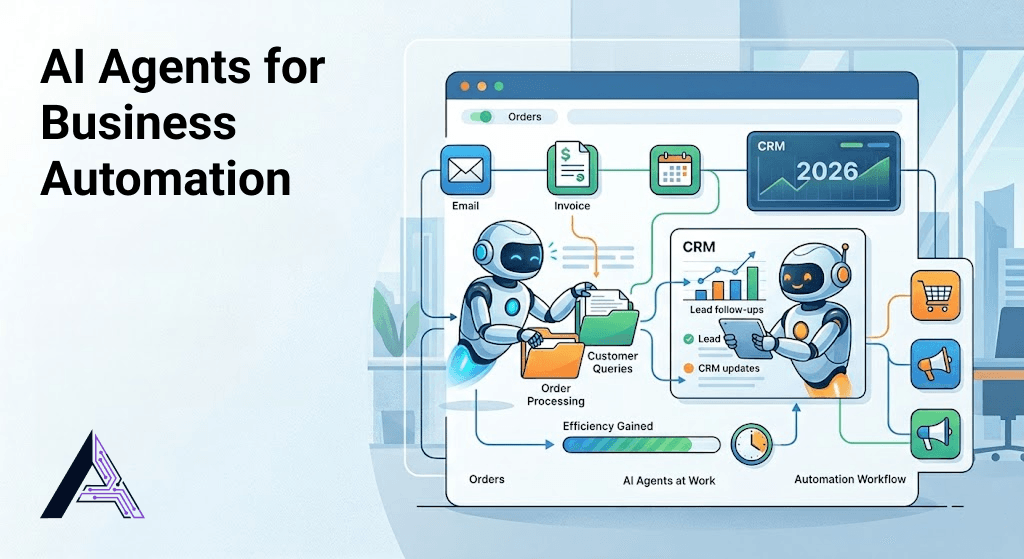
Imagine you ask an AI agent to "follow up with every lead that hasn't responded in 5 days." A chatbot would tell you how to do that. An agent would actually do it pull the CRM data, check timestamps, draft personalised emails, send them, and log the action. That's the difference.
In technical terms, AI agents are built around a loop: observe → think → act → repeat. They perceive inputs (a new email, a database update, a form submission), reason through a plan using a large language model, and then execute actions using connected tools and APIs.
Why 2026 Is the Tipping Point for AI Automation in Business
AI agents aren't new researchers have been building them for years. But 2026 is genuinely different. Three things have changed:
1. The models are finally reliable enough
Earlier LLMs hallucinated too frequently to trust with real workflows. Models available today are measurably more accurate, better at following multi-step instructions, and far more consistent. When we integrate AI agents into client workflows now, failure rates have dropped dramatically compared to even 18 months ago.
2. The tooling ecosystem matured
Protocols like MCP (Model Context Protocol), frameworks like LangGraph and CrewAI, and platforms like n8n and Make.com have made it dramatically easier to connect AI agents to real business systems your CRM, your inbox, your database, your calendar. You don't need to build from scratch anymore.
3. The cost dropped to nearly zero
Running an AI agent workflow that would have cost ₹50,000/month in compute in 2023 now costs a fraction of that. For small businesses in India, this is a huge shift. The ROI equation has completely flipped.
According to McKinsey's 2025 State of AI report, businesses that adopted AI automation workflows saw an average of 30 - 40% reduction in time spent on repetitive operational tasks within the first six months.
Real Business Use Cases for AI Agents (Not Theory Actual Examples)
This is the section most blogs skip. They explain what agents are but never show you what they actually do in a real business. Let's fix that.
Customer Support Automation
One of our healthcare clients was spending 3–4 hours a day just answering the same 15 questions over WhatsApp and email. We built a simple AI agent that reads incoming messages, classifies them (appointment query, billing issue, medical question), routes them appropriately, and drafts responses for the staff to approve with one click. Time saved: roughly 2.5 hours daily.
Lead Follow-Up and CRM Updates
Sales teams lose leads because follow-up is inconsistent. An AI agent connected to your CRM can monitor new leads, send timed follow-up sequences, update lead status based on responses, and flag hot leads for a human to jump on immediately. This is one of the highest-ROI automations we build for clients.
Invoice and Document Processing
For e-commerce and trading businesses, processing supplier invoices is tedious and error-prone. AI agents can read incoming PDF invoices, extract key data (vendor name, amount, due date, line items), match them to purchase orders in the system, and flag discrepancies all automatically.
Content and Social Media Scheduling
Marketing teams at small businesses are usually one person wearing seven hats. An AI agent can pull your latest blog post, generate three social media variations per platform, schedule them via your social tool's API, and report back on what went live. Not a replacement for a marketer a force multiplier.
Internal Reporting and Data Summaries
Every Monday morning someone at your company is pulling numbers from five different tools and putting them in a spreadsheet. That's an AI agent's dream job. Connect it to your analytics, your sales data, and your ad accounts and have a formatted summary waiting in your inbox every Monday at 8am.
Top AI Agent Tools and Platforms to Use in 2026
There's no shortage of tools. Here's what we actually use and recommend not just what's popular on Twitter.
For No-Code / Low-Code Automation
- n8n — Our go-to for most client projects. Open-source, self-hostable, and genuinely powerful. If you want control without vendor lock-in, this is it.
- Make.com — Excellent for teams without developers. Great UI, huge connector library.
- Zapier — Mature and reliable for simple chains, but gets expensive fast and isn't built for complex agentic loops.
For Developer-Built AI Agents
- LangGraph — Best for building stateful, multi-step agents with branching logic in Python.
- CrewAI — Excellent for multi-agent systems where different "roles" collaborate on a task.
- Anthropic Claude API + MCP — What we use for clients who need agents that interact with complex documents, internal tools, and proprietary databases. The tool-use capability here is genuinely impressive.
- OpenAI Assistants API — Good option if your team is already in the OpenAI ecosystem.
For Specific Business Functions
- Lindy.ai — Purpose-built for business workflows, especially email and CRM tasks.
- Relevance AI — Great for sales and marketing agent workflows.
- Voiceflow — If your agent needs to handle voice interactions alongside text.
What Does It Actually Cost? A Realistic ROI Breakdown
This is the question every business owner asks, and we appreciate the directness. Let's be honest about numbers.
Setup Costs
For a basic AI agent workflow (say, lead follow-up automation connected to a CRM), expect to invest anywhere from ₹15,000 to ₹60,000 in development, depending on complexity. A full multi-agent system with custom integrations can go higher. These are one-time or periodic costs.
Running Costs
API calls to AI models are now extremely affordable. A typical business automation agent handling 500–1,000 tasks per month might cost ₹500–₹2,500/month in API fees. Infrastructure (if self-hosted) adds a bit more. Overall, monthly operational costs for most small business AI automations are well under ₹5,000.
The Return
If your automation saves one full-time employee 2 hours per day that's 40+ hours per month. At even a conservative ₹200/hour value of work, that's ₹8,000+/month in time recovered. Most of our clients see payback within 2–3 months of deployment.
Pro Tip: Don't start with the most complex workflow. Start with the most annoying one the task your team hates most. That's where you'll see the fastest ROI and the most buy-in from your team.
How to Get Started With AI Automation in Your Business
You don't need a 20-person tech team. Here's a practical starting framework:
- Audit your repetitive tasks. Spend one week noting every task that happens more than once a day and involves clear rules. These are automation candidates.
- Pick one workflow to start. Don't try to automate everything at once. Pick the single highest-pain, highest-frequency task.
- Map the steps. Write down every step a human takes to complete that task, including what tools they open and what decisions they make. This becomes your agent's instruction set.
- Choose your tooling. For non-technical business owners: start with n8n or Make.com. For developers: consider building a custom agent with LangGraph or the Claude API.
- Build a pilot. Run the agent on a small subset of real tasks for 2–3 weeks. Measure accuracy and time saved.
- Iterate and expand. Once one workflow is stable, add the next one. This is how you compound the benefit over time.
Common Mistakes to Avoid When Building AI Agents
We've seen the same errors over and over both in our own experiments and in clients who came to us after a failed attempt.
- Giving the agent too much autonomy too fast. Start with a "human in the loop" design where the agent drafts and a human approves. Trust is built over time.
- Not handling errors gracefully. Agents will encounter unexpected inputs. Build in fallback logic so a bad input doesn't crash the whole pipeline.
- Skipping documentation. The agent's instructions are its brain. Vague prompts produce vague results. Be specific about what success looks like for every task.
- Ignoring data privacy. Especially critical for healthcare or finance clients. Know exactly what data your agent is touching and where it's being sent. Choose tools that respect data residency requirements.
- Treating automation as a one-time project. Agents need maintenance. Business processes change, APIs update, edge cases emerge. Budget for ongoing care.
Key Takeaways
Here's what you should walk away with from this guide:
- AI agents are different from chatbots they plan, decide, and act, not just respond.
- 2026 is the practical tipping point: the models, tools, and costs are now small-business-friendly.
- The highest-ROI automations are customer follow-up, document processing, internal reporting, and support routing.
- Start with one painful workflow, prove the ROI, then expand systematically.
- Tools like n8n, CrewAI, and the Claude API give you serious power without enterprise budgets.